


Isometric Explainer Video
Got a product with a dozen moving parts and a sales deck nobody finishes? An isometric explainer video shows complex products, systems, and workflows using a fixed 2.5D camera angle. Viewers see every part, every connection, and every step from one continuous, easy-to-follow perspective. Pigeon Studio has created animated videos that moved real business metrics, including a 20% sales increase and a Kickstarter campaign that raised over $1M in one month. We bring European animation craftsmanship to SaaS, tech, and enterprise teams in the US.

Case Studies
See how brands, products, ideas, and values turn in our hands into potent visual matter

Comarch Open Platform Software
Motion design
Explainer


Team
Paweł Starz, Rafał Blecharz, Sławek Wydra, Katarzyna Pieróg, Dominika Kwiatkowska, Maciej Karolczak, Agnieszka Czachór, Szymon Abramek, Alicja Grotuz, Natalia "Nat" Krajewska, Aleksandra Bylica, Julia Hanke, Kamil Bełtowski, Robert Ostiak
Comarch Open Platform Software
Motion design
Explainer
Team

Comarch Open Platform Software
What Is an Isometric Explainer Video?
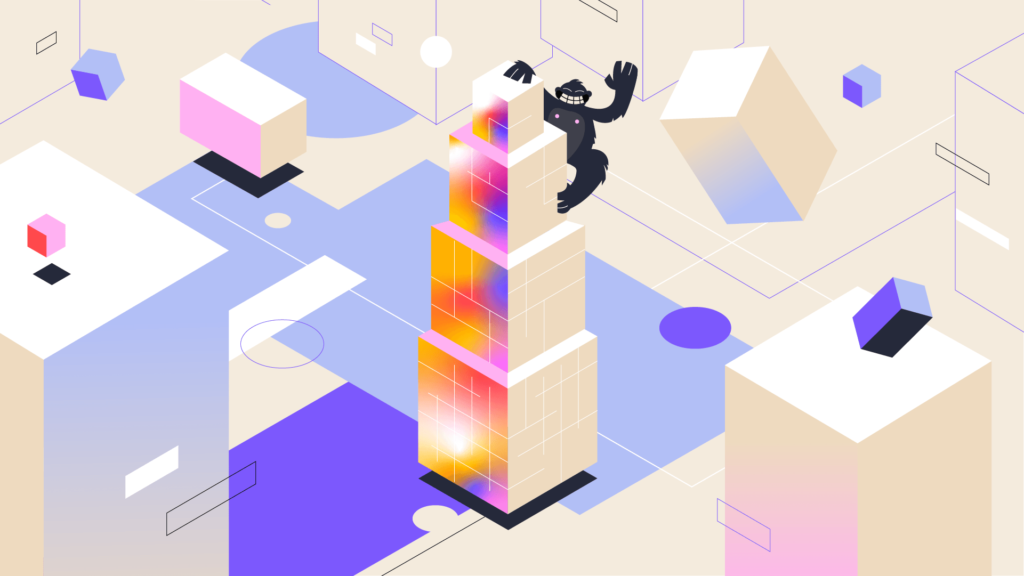
An isometric explainer video is a short animated film that shows three-dimensional objects on a flat plane. Their sides are drawn at a fixed 30-degree angle, so you see depth, but nothing shrinks into the distance. Parallel lines stay parallel: there are no vanishing points and no perspective distortion.
In practice, the isometric view looks like a city-builder game: you look down at a tidy miniature world from above and slightly to the side. A server room, a warehouse, and a checkout flow can share one frame, and viewers can still tell each element apart at a glance. That’s why isometric animation simplifies complex concepts that would take a 3D camera several moves to show.
Most isometric explainer videos pair isometric scenes with icons, captions, and characters that add detail. The look is modern and technical, yet clear enough for a non-technical audience. Unlike live-action videos, isometric videos need no film crew, no location, and no prototype. In reality, your product can still be in development while we animate it.
Is Isometric Animation the Same as 2.5D Animation?
In marketing, yes: most studios use “isometric animation” and “2.5D animation” for flat illustrations with depth. Technically, true isometric projection follows strict geometry, with the three axes exactly 120 degrees apart. 2.5D animation is the broader term. It also covers layered 2D scenes with parallax, where background and foreground layers move at different speeds to fake a third dimension.
Isometric vs. 2D, Motion Graphics, and 3D Explainer Videos
Isometric explainer videos sit between flat 2D and full 3D: they show depth and spatial relationships without the modeling, lighting, and rendering a full 3D production needs.
Two-dimensional animations win when the storytelling revolves around a character. Full 3D videos are a better choice when realism and showing the product from multiple angles are the priority. An isometric explainer lands in the middle: you get three-dimensional elements such as buildings, machines, and devices, but each scene is built from illustrations. This keeps production costs lower compared to 3D models. Revisions are quicker and cheaper too.
The best format depends on the complexity of your product. We make all five types of explainer videos, so we have no reason to push one. Sometimes the right answer is a mix: isometric scenes for the system and 2D characters for the people who use it.
Here’s how the main formats of explainer videos compare:
| Format | Best for | Depth | Relative cost and time |
|---|---|---|---|
| 2D character animation | Character-driven stories, emotional messages, and humor | Flat | Low to medium |
| Motion graphics | Product updates, data insights, and app walkthroughs in SaaS videos | Mostly flat | Low to medium |
| Isometric (2.5D) animationSweet spot | Systems, workflows, products with many parts | Simulated depth | Medium |
| Full 3D animation | Photorealistic product demos and machines shown from every side | Real depth | High |
When Isometric Animation Works Best
Isometric animation works best when your product is a system: connected parts, data moving between them, and a process that’s hard to show in one shot. It works against you when the story depends on one person’s emotions, because the isometric camera keeps viewers at a distance. As a rule of thumb, isometric videos explain how something works, while character-driven videos show how someone feels.
Industries and Use Cases
Here are examples of what isometric videos make easier to understand:
• SaaS and cloud software. Data flows between apps, servers, and users, and an isometric explainer shows the whole architecture in a single frame.
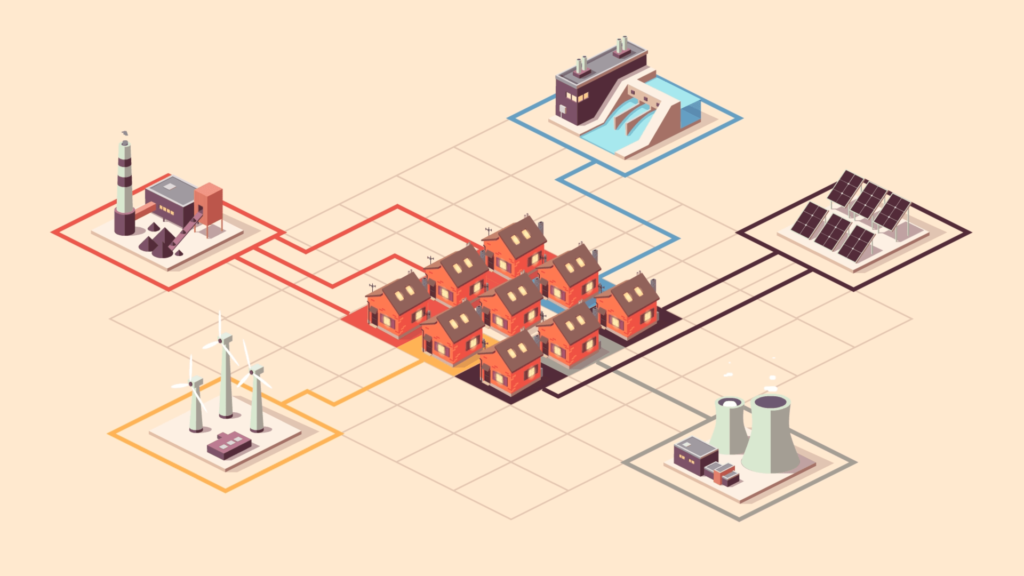
• Logistics and supply chain. Seen from above, warehouses, trucks, and sorting lines form one clear route, so viewers follow a package from order to dispatch.
• Manufacturing and industrial automation. In manufacturing videos, the whole production line stays in view, while each sequence highlights one station and one step of the process.
• Fintech and banking. In fintech explainer videos, payment flows, security layers, and transaction paths become visible routes instead of abstract diagrams.
• Real estate and architecture. Buildings, floors, and neighborhoods turn into miniature isometric worlds, so property videos show layouts and context at a glance.
• Smart cities and IoT. Connected devices are complex systems by nature, and the isometric grid gives each device a clear place on the map.
Isometric visuals also work outside the videos themselves: the same scenes work in sales decks, landing pages, and documentation, or when you’re presenting your product at a trade show.
When to Choose a Different Animation Style
Pick another animation style when your video needs close-ups, facial expressions, or an emotional arc, as in recruitment videos, nonprofit campaigns, or brand videos focused on people. For such audiences, 2D character animation or cel animation carries emotion better. For a product that has to look photorealistic, full 3D is the best choice. Not sure? Send us your brief, and we’ll tell you which format fits.
How We Create Isometric Explainer Videos
Our isometric explainer videos come together in three stages, and you get to see the work at each one. Our process is structured but not rigid: if a better idea shows up along the way, we make room for it.
Concept, Script, and Storyboard
Everything starts with a kick-off call about your product, audience, platforms, and goals. Then comes scriptwriting: we write the script or work with yours, and we keep it short, because one sentence of voiceover often equals one scene.
The storyboard plans every frame and camera move. Redrawing a storyboard frame is much quicker than reworking finished animation - this is the time to explore ideas and make room for creativity. In isometric videos, the storyboard also plans transitions, so one scene unfolds into the next without a cut.
Isometric Scene and Character Design
Creating the scenes starts on an isometric grid. Our illustrator draws every object on it, so they all share the same angle and scale. Next, we paint a key illustration - a full-color frame that sets the look, palette, and level of detail for the whole film.
Simplicity pays off here: a limited palette stops busy scenes from turning into visual noise, and customization of colors and icons ties them to your brand identity. Characters get the same treatment: we draw them in isometric form or animate them in 2D on top of the isometric background.
Animation, Voiceover, and Delivery
In animation, motion does the explaining: data packets travel along connection lines, conveyor belts move, screens light up in sequence. That’s how a static diagram comes to life. Our animators work in Adobe After Effects and Cinema 4D and add 3D elements where they pay off. Then it’s time for voiceover, music, and sound design, with a quality check of every frame before the final render.
We deliver the videos in the formats your platforms need, from 16:9 to 9:16 and 1:1, following each platform’s guidelines (e.g., YouTube, TikTok, Instagram). For vertical videos, we rebuild the composition instead of cropping the wide version, because an isometric scene rarely survives a simple crop.

A product that’s hard to explain?
Need one already?
Got a product that’s hard to explain in a sales call? Tell us about it, and we’ll come back with ideas and a quote.
Our Explainer Videos
Explainer videos can help boost conversions when they answer a buyer’s questions before the sales call does. That matters more and more: in a Gartner survey published in March 2026, 67% of B2B buyers said they prefer a rep-free buying experience. Good storytelling provides information in an engaging, easy-to-follow format. It also leaves a lasting impression, so your product is still on the buyer’s mind when they’re ready to talk.
Two examples from our portfolio:
Articy:Draft
We explained a tool for game writers with flat, design-inspired 3D and 2D characters. In the month the explainer video was released, sales rose 20% compared with the same month a year earlier.
Comarch Fraud Protection
Fraud detection in telecom is a complex topic that may be hard to picture. In our motion design explainer, a sphere travels through a digital world to show the routes fraud can take, from money laundering to loyalty program abuse, and how Comarch’s AI and machine learning models catch it.



Isometric Explainer Video Cost and Timeline
At Pigeon Studio, we prepare an individual quote for every isometric explainer video, because costs vary based on the scope of your video project. An extra isometric city block costs more than an extra icon, and we’ll tell you exactly how much more before we draw either.
The main cost drivers are:
• the video's length,
• the complexity of the scenes and the number of isometric objects,
• the number of characters and how much they move,
• 3D elements and camera moves,
• scriptwriting, voiceover languages, and music,
• the number of revisions and the license scope.
Timelines vary depending on the same factors. As a guide, a 60-90 second explainer video usually takes 8-12 weeks from the kick-off call to the final render. Shorter videos or ones built on existing designs can take less time. Revisions affect the schedule too. You usually get two rounds of revisions, which can be adjusted to the project, and a change to the script takes far less time than reworking finished animation.
Why Work With Pigeon Studio
We pair 10+ years of creating animation and explainer videos with a client roster that includes Unilever, Electrolux, Vinted, and Honda. Here’s what that means for your isometric explainer video.
The Style Your Product Needs
We work in isometric, 2D, 3D, motion graphics, and cel animation, so we can match the look to your brand identity and to the product, not the other way around.
A Flexible Process, With You in the Loop
You see the script, storyboard, key illustration, and animatic as soon as each one is ready, so you always know where the project stands. If your vision changes mid-production, we can rework the plan together.
Direct Access Across Time Zones
You talk to the people drawing and animating your videos, and we’re used to working with US clients, from Microsoft to the U.S. Embassy in Warsaw.
Files That Outlive the Launch
We archive production files for five years, so when your product gets a new feature, the isometric world can grow with it.
Isometric Explainer Video FAQ
Let’s Make Your Product Easy to Explain
Got complex topics that make your clients’ eyes glaze over? Tell us about your project: send your product deck, a rough concept, or your specific requirements, and we’ll suggest a script, a style, and a timeline for your isometric explainer video. Contact us.


